When the external system responds differently than expected
The run ends as Failed, and the reason given is Connection does not match the response. The second time the same, and the third time too. Yet the foreign system answers, and its response is valid JSON.
Xchange received the response and looked at the place where, according to the connection, the records are — and found no list there. The foreign system keeps its records somewhere other than the connection states. Xchange then does not search further, but ends the run before a job is created.
There is a quieter form of the same error: the run is green but brings only part of the data set. Then Xchange reads only the first page of the response — see step 4.
You correct both on the connection, as well as a second case of the same kind: values that arrive but are read differently than the system means them.
What you need
- The Connections permission at the Full level — see Permissions.
- A real response from the foreign system, as JSON. A call in the browser, a line from the partner's log, an example from their documentation — anything will do, as long as it is a response to the same fetch.
- Starting point: Connections, the affected connection, Batch fetch section.
Xchange saves every entry automatically. In operation, it takes effect only with the activated configuration snapshot.
1. Check whether this section applies at all
The section only has an effect where Xchange fetches a data set piece by piece from the foreign system. This page helps if both conditions apply:
| How you can tell | |
|---|---|
| The connection must show it | The Batch fetch section is on the connection. Systems that describe the structure of their responses themselves do not get it in the first place. |
| The route must fetch | Only with data origin Dataset. With Queue and Dispatch input, the message is delivered to Xchange instead of being fetched, and the section's settings are ignored. |
If your route comes from the queue or from dispatch and the field selection still stays empty, that is a different case: When the field selection stays empty.
2. Why the run aborts instead of running through empty
The path fields of the section are empty on a new connection, and empty here means: not specified. Xchange does not fill in a value for them and does not look anywhere else. If a route fetches through the connection, the check of the draft therefore reports "Records" is missing — a fetching route reads this connection even before the first run.
If Records holds a path at which the response has no list, the run aborts — on "Webshop Cambira",
for example, customers, guessed from the fetch endpoint customers of the route "Kunden
Webshop", while the shop keeps its customers under data. Only an empty list or
null at exactly this place counts as an empty page — that is how a cleared data set answers. A
path that points into nothing, on the other hand, is not an empty page but a connection that does
not match the response. That is why a wrong path does not go unnoticed: the reason is shown with
the route's last run, see
Execution — Last run.
3. Provide the response instead of guessing the path
Above the fields is Paste sample response. Paste a real response from the system there: Xchange reads through it and fills the suggestion lists of the path fields from it. You then choose what the system really sends instead of guessing a path.
"Webshop Cambira" answers the fetch of the customers page by page, 100 customers per page:
{
  "data": [
    { "customer_no": "K-10317", "company": "Hollmann Bau GmbH", "…": "…" }
  ],
  "meta": { "next_cursor": "Sy0xMDMxNw", "has_more": true }
}
- Click Paste sample response. The Sample response dialog opens.
- Paste the response as JSON and click Done. If the JSON is invalid, the dialog says so and stays open.
- Expand Records and choose the path under which the list is in the response — for the shop
data. - If the system sends a next page token along, set Paging to Next page token, choose its path
under Token path in the same way and enter under Token parameter the name under which the
system expects the token on the next fetch — for the shop
meta.next_cursorandcursor.
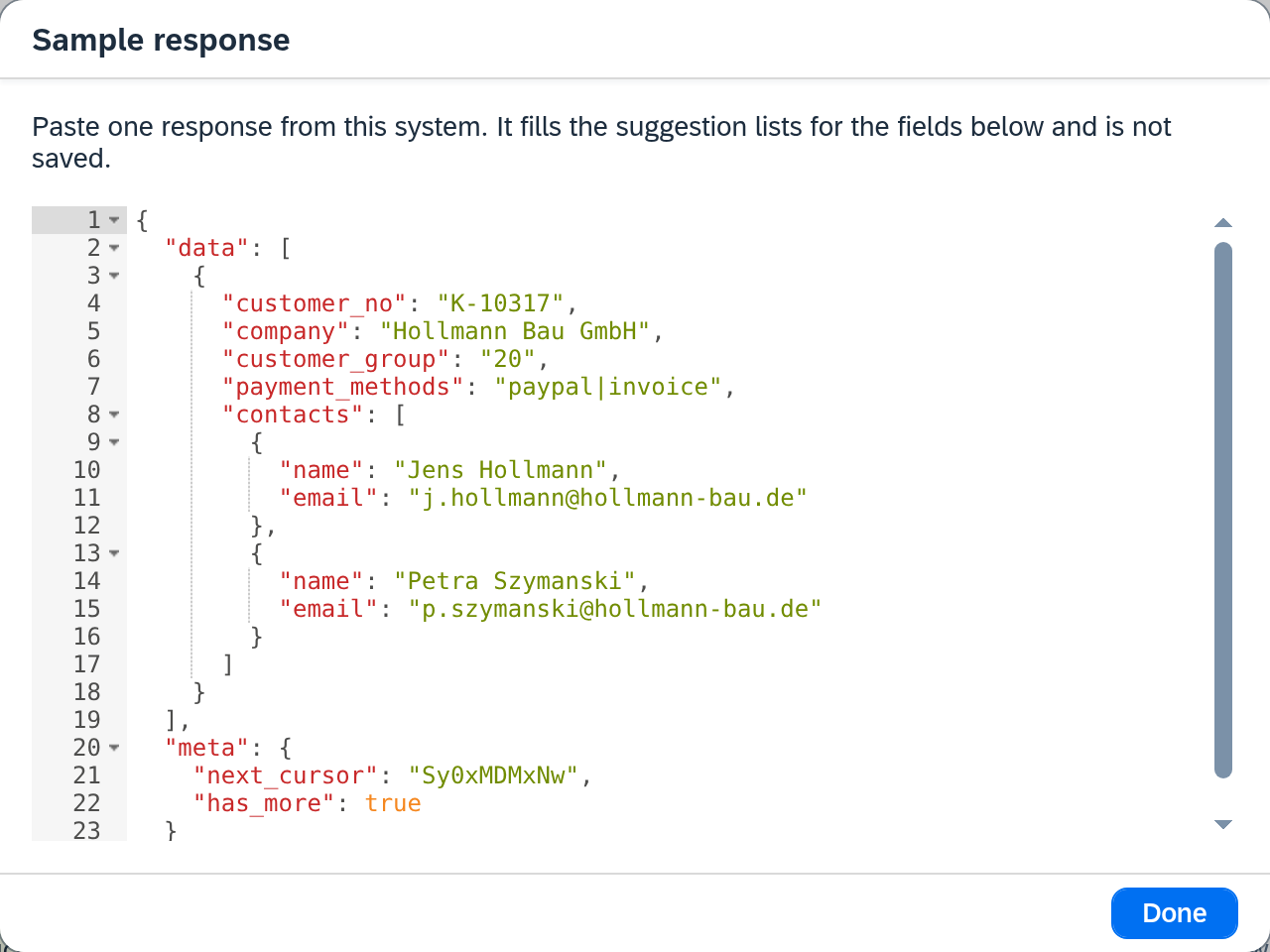
The sample response applies only as long as the screen is open. During that time it fills the suggestion lists — only the paths you choose are saved. You can also type the paths directly; the sample response merely saves you the guessing.
4. Paging, and the one decision that has consequences
If Paging is set to None, Xchange reads only the first page per run. The run is then green and still brings only part of the data set — for "Kunden Webshop", the first 100 of the 412 trade customers. If the system pages by token, Token path and Token parameter belong together: from the token Xchange recognizes where to continue, and under the parameter it sends it along on the next fetch.
The More pages field is a decision:
- You leave it empty. Then the token is the only signal by which Xchange recognizes the end: as long as the response sends one along, Xchange keeps fetching; when none comes any more, the fetch is complete. For systems without such an indicator, that is the right setting.
- You enter a path. Then this indicator decides. If it reports "more is coming", a token must be present, because that is how Xchange recognizes where to continue. If it is missing, the run aborts, also with the reason Connection does not match the response. There is no retry in this case, because a second attempt would get the same response.
So fill in the field only if the system really sends the indicator. A path to a place that the
system never fills hides the token as the end signal and replaces it with one that never fires.
"Webshop Cambira" does send the indicator, under meta.has_more — that is where the path goes.
What exactly goes into each field, and how Xchange pages with Page number and Offset, is listed in Connections — Batch fetch.
The second case: the values arrive, but are not right
Further down on the same connection is Data spelling — two selection fields for dates and numbers. This section is on every connection, including those without Batch fetch: every system writes values in some form.
And it has an effect in one single place: where Xchange compares one value with another. A value that a mapping only transfers passes through in both directions as it arrives. A value is looked at only
- in the route's data filter, which decides which records come along at all, and
- in a condition of the mapping, which decides whether a row applies.
The practical consequence: if the spelling is set wrong, the route keeps transferring correctly — but it transfers the wrong records. A filter "amount greater than 1,000" then hits the wrong rows, and the run is green while doing so. So look for the error in the selection.
The two fields describe only how the foreign system writes. The comparison value that you enter in the filter yourself is always read by Xchange according to the default — day first, decimal point — regardless of which connection the route depends on.
When a value is ambiguous at all and which values explain themselves is described under Connections.
What comes next
Both — the paths and the spelling — belong to the connection. A correction here affects all routes that use this connection, and it takes effect in operation only with the activated configuration snapshot: Validate and activate.
See also
- When the field selection stays empty (guide) — when records arrive, but their fields are missing from the selection
- Create a connection (guide) — where Source and Format are entered
- Connections (reference) — every field of both sections, plus the spelling defaults
- Execution (reference) — the reasons with which a run ends
- Routes — Source data (reference) — the data filter the spelling affects