Adjust retention periods
Accounting at Cambira needs jobs to be traceable for a year — the shipped period keeps them for 90 days. M. Brandt raises it and, in the same pass, enters a period for the System log, which has never been deleted so far.
What you need
The Settings menu item. It leads to the screen that holds both areas: at the top Retention periods, below it Automatic cleanup.
To make changes, you need the System permission at the Full level. With Read only, you see the numbers; without the permission, the menu item is missing. More on this under Permissions.
Every entry is saved automatically — no save button is needed for this.
Raise the period
- Open Settings.
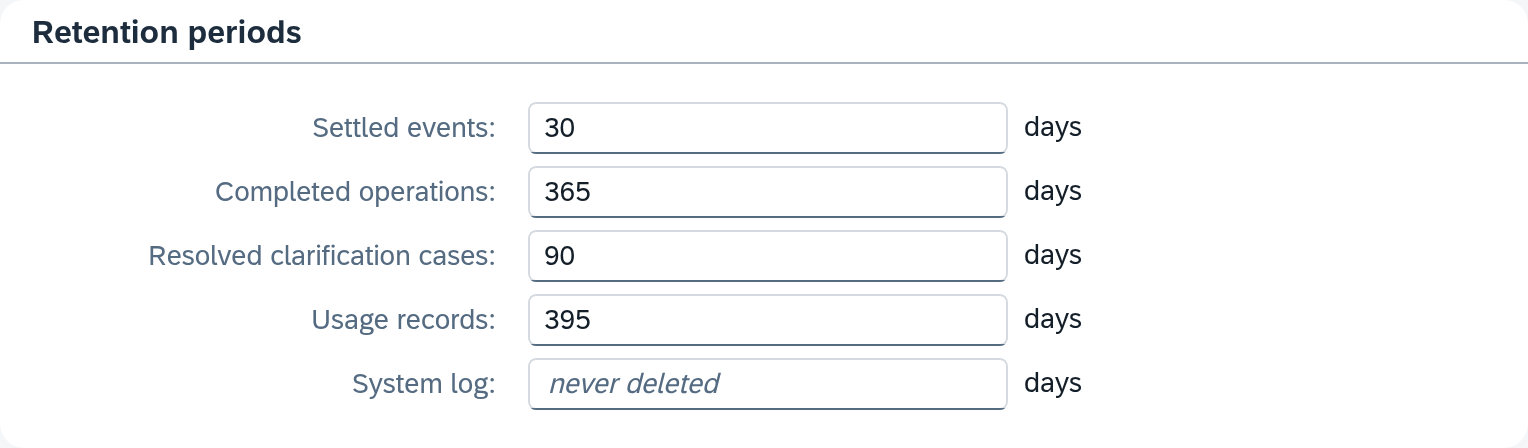
- In the Completed operations field, enter the new number — for one year, that is 365. The unit is shown on the right in the field and is always days.
Raising a period is harmless: it only moves up the limit beyond which records are deleted.
What Xchange thinks of a wrong number, it says at the field: it accepts only whole numbers, at least 1 day, and there is an upper limit. The finding appears as soon as you leave the field; that way, a half-typed number stays unflagged while you type.
Fix every finding. If the entry is not a whole number, the last valid value stays saved anyway. A number outside the limits, on the other hand, is saved, and the cleanup run then skips this area completely — the period that applied before has no effect either. Which message does what is described under Settings.
Set a period for the first time
System log is the only field that ships empty, and empty here means never deleted. So the log keeps growing until someone enters a number.
In the System log field, enter the number you want — Cambira uses 90.
As soon as the number is in place, a warning strip appears above the fields:
Shortened periods — older records are deleted on the next cleanup:
Below it is one line per shortened period, with the field name, the old and the new value. For the System log, the old value is never deleted — because from the cleanup's point of view, a period set for the first time is a shortening, and the largest possible one.
The strip shows only what has become shorter; your extension from before is not in it.
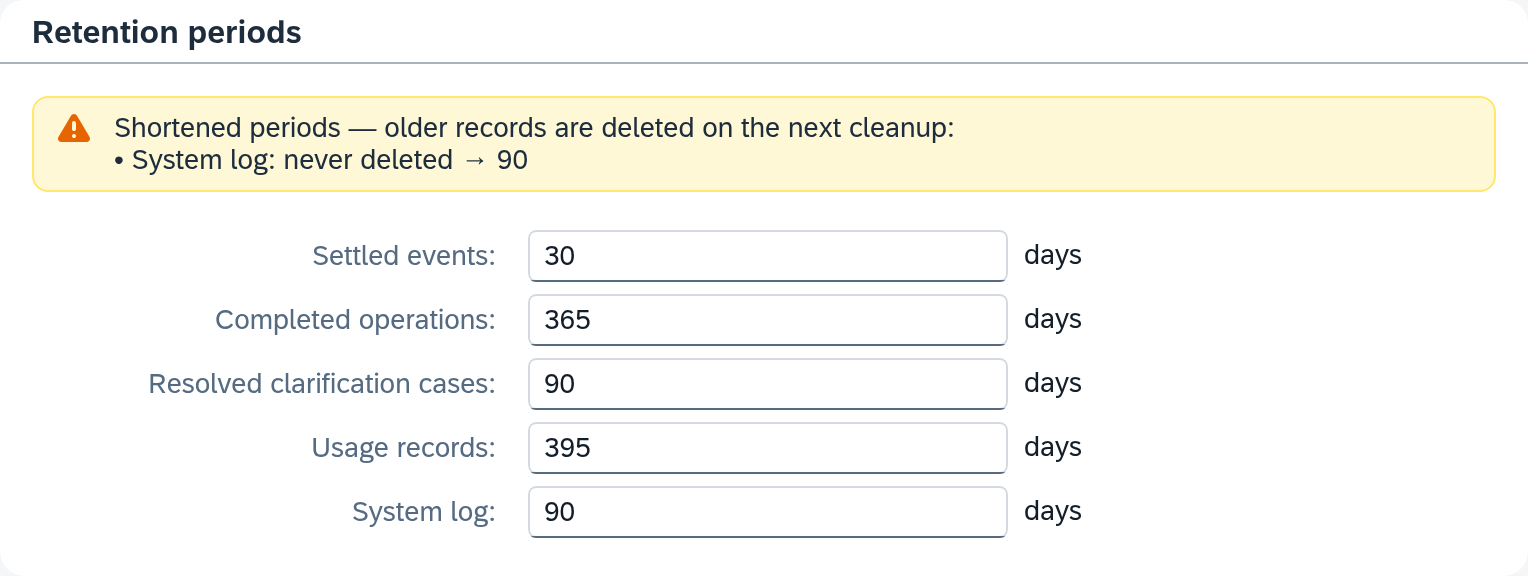
The strip is a notice. Your entry is saved as soon as it is in place — but records are deleted only on the next cleanup run.
If you made a mistake
Until the next cleanup run, you can correct the entry: raise the number again, and the strip disappears along with its announcement. Ctrl+Z also undoes the last change.
The run follows its schedule strictly; it can be neither triggered nor held back. What you change before it runs is what applies.
How you can tell it works
That the entry arrived is shown by the bar at the bottom edge: it appears when saving and then briefly shows the time. If it stays and reports an error, the value is only on the screen and not saved yet.
That the period takes effect you see only after the next run — in the deletion log under Automatic cleanup. It shows, per area, how many records were deleted. If the run found nothing, it says so too; on a day on which nothing has become old enough, that is the normal case.
A changed period applies immediately, even without activation — it belongs to the settings of the system, outside the configuration.
What comes next
- What each of the five periods covers and what the deletion log shows: Settings
- What a period leaves in place and which path removes the rest too: Retention and reset
See also
- Settings (reference) — every field, every row of the log
- Retention and reset (core concept) — the rule behind the numbers
- Permissions (core concept) — who may change the periods