Validate and activate
The route sits in the draft. It is saved — and it is at rest. Everything you built on the two previous pages lies in a snapshot that Xchange does not use yet.
The goal is an active configuration snapshot: version 1.
Now the person changes
Up to here, A. Vogt did the work. The next two steps belong to someone else.
At Cambira, only M. Brandt may validate and activate. Both require the permission Activation; only someone who has it sees the Validate and Activate buttons. Building and putting into operation are thus two decisions, and the second is made by someone else. Who may do what is described under Permissions.
In practice this means: Vogt lets Brandt know, Brandt signs in and opens the same screen. The draft is the same.
Where this happens
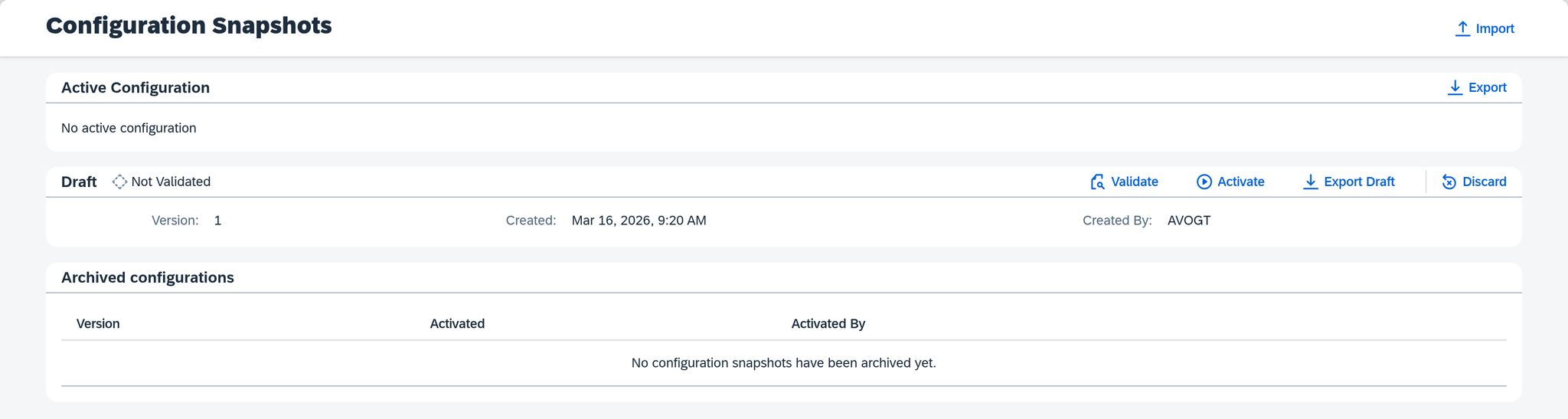
In the menu under Configuration, open Configuration Snapshots.
The screen shows three sections one above the other:
- Active Configuration — what is running right now. On March 16 it reads No active configuration.
- Draft — what is being worked on: version 1 with connection and route, created by AVOGT with the first entry at 9:20 AM. The status is Not Validated.
- Archived configurations — what was active earlier. On the first day the list is empty.
That way you can build on the draft while something else is in operation. Why this is kept separate is described under Configuration Snapshots.
Validate
Select Validate.
Xchange goes through the entire draft — every connection, every route, every step, every mapping — and reports what is missing or contradicts itself. If everything passes, the status of the draft changes to Validated, and below the fields it reads "The check found nothing."

When the validation finds something
Then the checklist appears below the fields. Each entry names the connection, route or value table where something is wrong, and below it what needs to be corrected there. A red entry is an error: activating is possible only once all red entries are resolved. An orange one is a warning; you can continue with it.
How to resolve the entries one by one and then validate again is shown in Fix the findings of a validation.
If you change anything in the draft after the validation, the validation lapses: the status changes to Validation Outdated. So finish building first, then validate, and activate last.
Activate
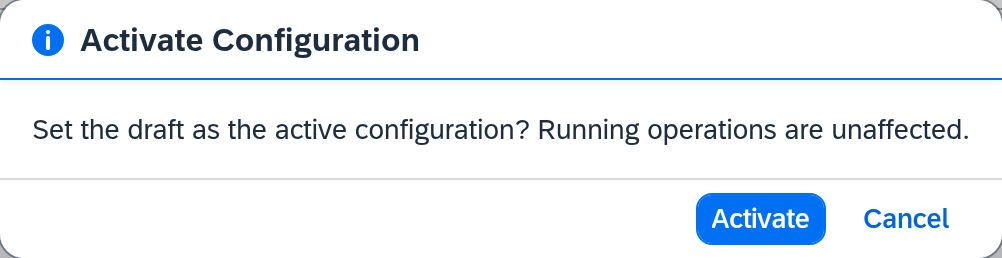
- Select Activate.
- Xchange asks: "Set the draft as the active configuration? Running operations are unaffected."
- Confirm with Activate.
The sentence about running operations becomes important only once something is running. Then it means: a job that has already started finishes with the snapshot under which it started. New jobs work with the new snapshot.
If the draft has not been validated, Activate answers with Draft must be validated successfully first, and the previous snapshot stays as it is.
Version 1 is active
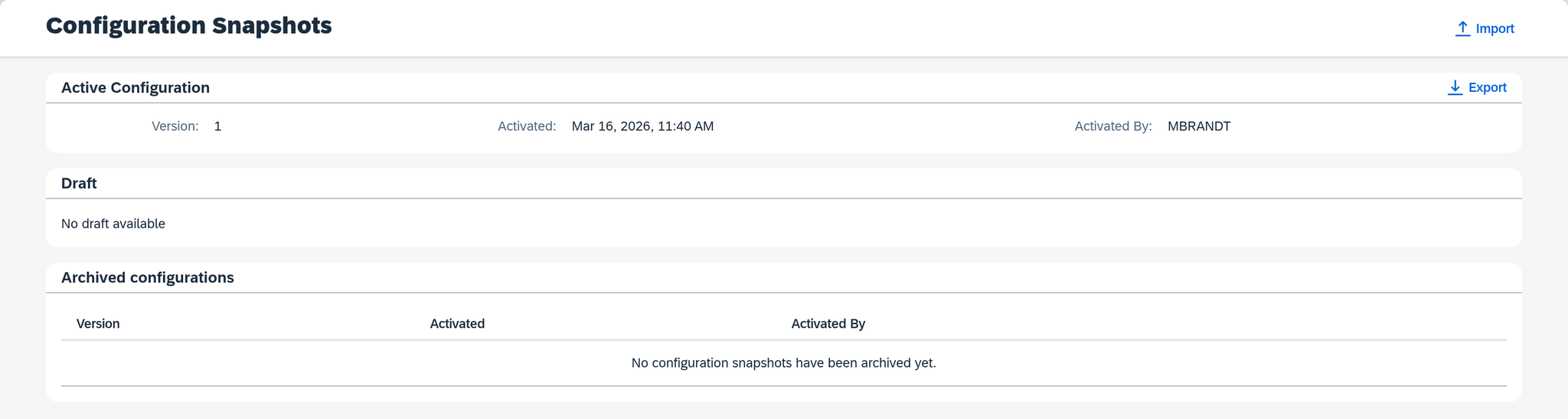
At the top it now reads Version 1, activated at 11:40 AM by MBRANDT. The Draft section below reports No draft available — everything built is now in operation. The archive stays empty until a later activation replaces version 1.
What comes next
The configuration is in operation; next, data flows: The first run.
See also
- Configuration Snapshots (reference) — every field of this screen
- Configuration Snapshots (core concept) — why draft and active snapshot exist separately
- Permissions (core concept) — who may build and who may activate