Two editors on the same object
There is only one draft, and several people may work in it. Usually that goes unnoticed — two people on two different routes work independently of each other. But if they meet on the same object, Xchange says so in two quite different ways, and the two are easily confused:
- A warning before you type. It says that someone else currently has something open on this object. You can keep working anyway.
- A conflict on saving. It holds you up: your change waits until you have decided.
In a conflict, each of the two options offered costs something.
In the example: A. Vogt adds to the value table "Zahlungsarten Webshop". L. Hoffmann may do the same — both have Value Tables at the level Full — and has the same table open.
What you need
- The right to change the object. This situation requires nothing more: anyone who may change it can end up in it.
- Xchange saves every entry automatically. That is exactly why both things here happen by themselves — the conflict shows up on the automatic save while you are typing.
The warning: someone has something open here right now
At the top of the form, a notice with a warning symbol then appears:
Currently being edited by LHOFFMANN — your changes may conflict
The other person is shown there with their user code from SAP Business One.
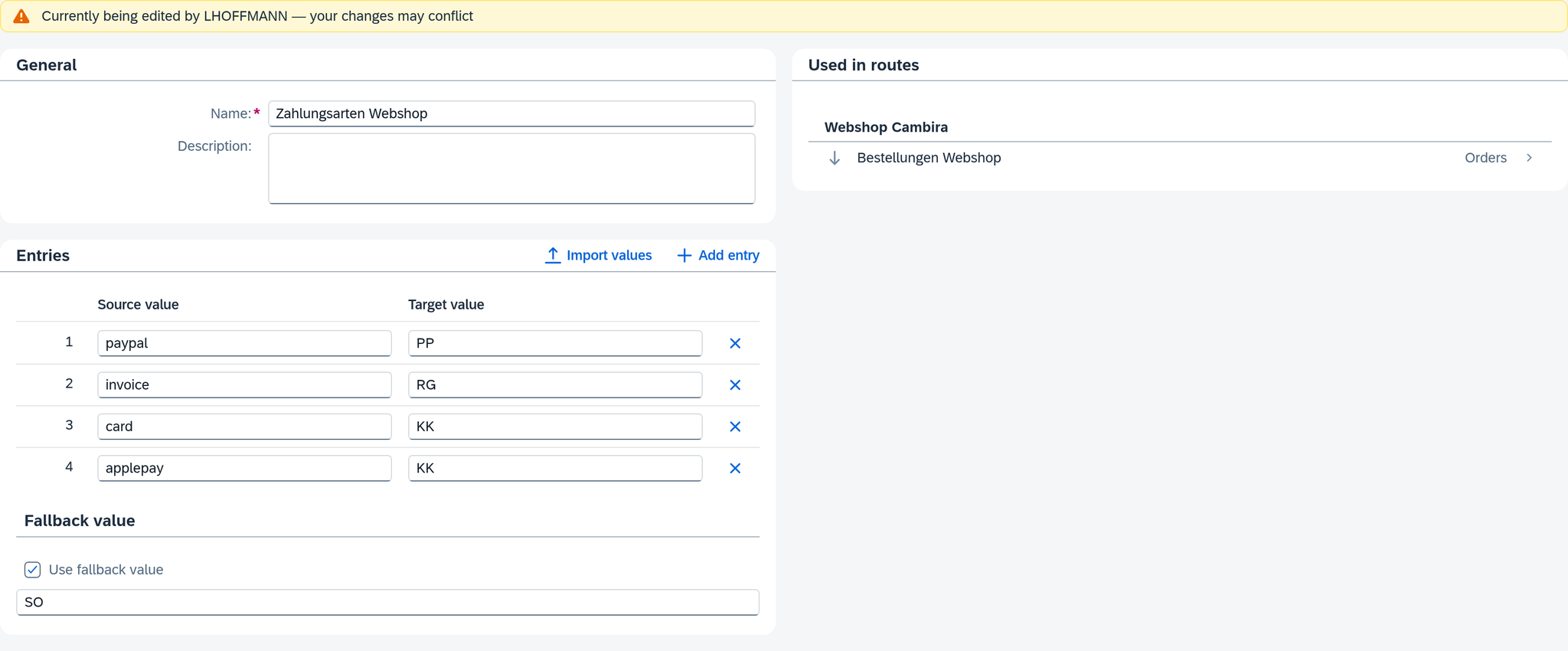
Four things you should know about it:
- The notice means "currently has something unsaved". It appears as soon as the other person has a change open, and disappears again as soon as it is saved. Someone who has only opened the table appears there from their first entry.
- The notice shows only open changes. Someone who only reads the table stays invisible. If you want to be sure, ask.
- Xchange also reports your own second session, but with a different sentence: You are already editing this record in another session — your changes may conflict. So a second tab in the browser warns you, and it can collide too — see below.
- Only one of the two sentences is ever shown. If another person and your second session have something open, the notice names the other person. That is the situation in which you have to coordinate; you can close your own second window yourself.
The notice exists in three places: in the detail view of a connection, a route and a value table.
What you do with it is up to you. The form stays open, and you can keep typing; the notice advises you to talk briefly to the other person first.
The conflict: on saving
If the other person saved before you, Xchange holds your change. The bar at the bottom edge then shows one of three messages — the difference matters:
| Message | What it means |
|---|---|
| This record was modified by LHOFFMANN | Another person was faster. |
| This record has been modified in the meantime | The same, but Xchange does not know by whom. |
| You changed this record in another session | You yourself — a second tab, a second window, the same account. |
The third is the harmless one. What is in the way is your own work from the other window; you know what it contains.
If the middle one comes on every save although provably no one else is working on the record, there is a technical problem. Reload then discards your entries for nothing, because the message comes back on the next save. Contact your administration; the cause lies between your browser and Xchange.
Next to it are two buttons: Reload and Save anyway.
Both buttons throw something away
Both take effect immediately, and each keeps only one of the two versions:
- Reload fetches the state from the server and discards your entries. The step sequence for Ctrl+Z is cleared along with it. What you had typed is gone.
- Save anyway writes your version over that of the other person. Their change is gone with that; the other person will only learn of it from you.
What the other change contained, you find out by talking. The comparison under Configuration Snapshots compares whole configuration snapshots — for two edits of the same object, it is too coarse.
Therefore, in this order:
- Leave it and ask, if someone else is named there. The message stays until you decide.
- If your own change is the smaller one — a row you can type again in ten seconds —, choose Reload and make it again afterwards. That is the way without loss on the other side.
- Save anyway only if you know what you are overwriting. With the message in another session you usually know; with someone else's user code almost never.
In the example: Vogt gets This record was modified by LHOFFMANN. Vogt's own change is one row. Vogt reloads, sees Hoffmann's row, enters their own again afterwards — and in the end the table has both.
So that it does not get that far
There is one draft for everyone, no matter who started it. Open it, work in the same collection as everyone else, and at the end it is activated as a whole. That is why agreements are worthwhile even when no one is working on the same object. More on this under Change a running configuration.
Two habits are enough in everyday use:
- Read the warning notice before you type — then you clarify the situation before a conflict arises.
- Finish quickly. As long as a change is open, it warns the others; as soon as it is saved, the way is clear for everyone else.
What comes next
- Before activating, check everything that has ended up in the draft — including what others have put in: Change a running configuration, section Compare.
- If something was activated that should not have been activated: Go back to an earlier snapshot.
See also
- Configuration Snapshots (core concept) — why there is only one draft
- Permissions (core concept) — who may change an object at all